
Done 999 Game App 2026 – Free Download Complete Guide, Features & Android Information
Description
Done 999 Game App is a name that users may search for when exploring online gaming platforms. Before choosing an unfamiliar application, it is important to understand its purpose, compatibility, and safety considerations.
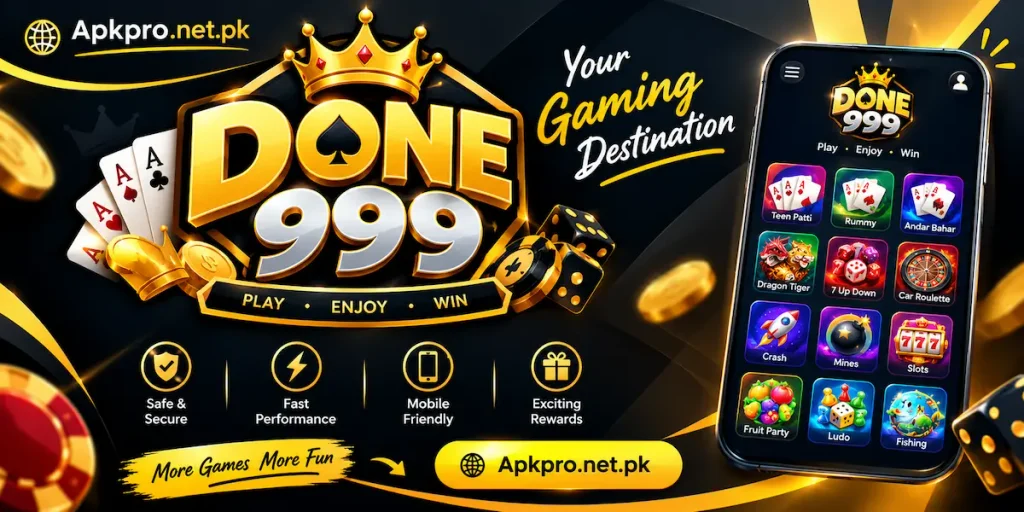
This guide covers the essential information readers should know. It explains Android requirements, APK security, privacy protection, and common technical problems in simple English.
Best Game 88 KA Game APK 2026 & PAK188 Game 2026
What Is the Done 999 Game App?
Done 999 Game App is associated with searches for mobile gaming services. However, its exact features, developer, and official availability should be verified through reliable sources.
Understanding an application’s purpose helps users make informed decisions. Readers should check available documentation rather than relying on promotional claims or unconfirmed descriptions.
Done 999 Game App Overview:
The following table summarizes the main details that readers may want to check before considering an unfamiliar application.
Basic App Information
| Information | Details |
|---|---|
| App Name | Done 999 Game App |
| Platform | Android, if supported |
| File Format | APK, if distributed in this format |
| Category | Online Gaming |
| Version | Check verified release information. |
| Developer | Requires verification |
| Compatibility | Depends on device requirements |
| Availability | Confirm through a reliable source. |
| Security Status | Requires independent assessment |
Android Compatibility Details
Compatibility depends on the application’s requirements and the device being used. Check the supported Android version, available storage, and other technical details before installation.
Do not assume that an application will work on every Android phone. Reliable compatibility information can help users avoid unnecessary errors.
Main Features of the Done 999 Game App:
Features help readers understand what an application offers. Online gaming apps may include navigation menus, activity listings, and account settings.
The actual features of the Done 999 Game have not been independently confirmed here. Check the original application or reliable developer documentation before publishing specific claims about its functions.
Interface and Navigation
A clear interface helps users understand menus and locate important information. Readable text and understandable labels can make navigation easier.
Readers should review the interface carefully and avoid assuming that an attractive design guarantees a trustworthy service.
Available Gaming Options
Different gaming platforms can provide different entertainment options. The exact categories offered by Done 999 Game should be verified before being listed in an article.
Users should understand the rules and age requirements of any activity. Gambling and wagering services can involve financial risks and are not suitable for minors.
User Experience
A useful mobile experience depends on clear instructions, stable performance, and appropriate device compatibility.
Users should also consider privacy and security. An application should explain its purpose and avoid requesting unnecessary personal information.
Done 999 Game App for Android:
APK is short for Android Package Kit. It is a standard file format used to distribute Android applications.
Some applications are available through official app stores, while others may be distributed through external websites. Files from unknown sources can contain unwanted software or unauthorized modifications.
APK File Information
Before obtaining an APK, check the publisher and the file’s source. Confirm that the application is intended for your Android device.
Avoid modified packages that promise special benefits or guaranteed financial returns. Such claims should never be treated as proof of authenticity.
Download Safety Checks
Use a trustworthy distribution source whenever possible. Keep your device’s security protections enabled and review warnings before opening unfamiliar files.
A secure website connection does not automatically mean that an APK is genuine or safe.
Android Compatibility and Requirements:
Checking compatibility before installation can help prevent common technical problems. The exact requirements depend on the software and its release.
Supported Android Version
Review the minimum Android version listed by a verified publisher. Older devices may not support newer application releases.
If reliable requirements are unavailable, avoid guessing the minimum supported version.
Storage and Internet Requirements
Make sure your device has enough free storage for the application and its normal operation. Some online services may also require a stable internet connection.
The actual storage and connectivity requirements for the Done 999 Game should be confirmed through reliable documentation.
How to Verify Done 999 Game App:
Verification helps users distinguish reliable information from unsupported claims. An unfamiliar website may use an application name without being connected to its actual developer.
Developer Information
Check whether the publisher provides consistent details about the application. Look for a clear description, contact information, and trustworthy release documentation.
If the developer cannot be identified, treat the application cautiously.
Authenticity and Security Checks
Review available security information and the application’s privacy policy. Be careful with pages that promise guaranteed earnings or request sensitive details without a clear reason.
Do not install an application simply because its download page looks professional.
Done 999 Game App Download Guide:
Before downloading an application, readers should understand where the file comes from and whether its publisher can be verified.
Choosing a Reliable Source
Prefer a recognized app store or a distribution page that can be connected to the verified developer. Check the application name and publisher details before proceeding.
Avoid misleading advertisements and unfamiliar download buttons.
Important Safety Precautions
Keep Android security protections enabled and do not ignore warnings. Never share passwords, verification codes, or financial information with an unverified service.
If the source cannot be trusted, the safest option is not to download the file.
Installation Guide for Android:
The installation process depends on how an application is distributed. Applications from recognized stores can generally be installed through their normal store process.
Preparing Your Device
Check the device’s compatibility and available storage before installing an application. Make sure that your operating system is updated and security protections are active.
Verify the file before opening an externally distributed APK.
Common Installation Issues
Installation may fail because of compatibility limitations, an incomplete file, or a device security warning.
Review the displayed error and confirm the application’s source. Do not disable security features just to force an installation.
Registration and Login Information:
Some online applications offer registration and login functions. However, the exact account process for the Done 999 Game should be confirmed before publishing specific instructions.
Account Registration Details
Before creating an account, read the service’s terms and privacy policy. Check what information is required and why it is collected.
Do not provide unnecessary personal details to an unverified platform. Minors should not register for gambling-related services.
Login and Account Safety
Use a unique password for every online account. Never share verification codes or login details with other people.
If an application requests sensitive information without a clear explanation, stop and investigate before proceeding.
Account Settings and Privacy:
Privacy is an important consideration when using online services. Account options and data policies can differ between applications.
Personal Information Protection
Avoid sharing identity documents, financial information, or private details unless the service is verified and the request is legitimate.
Review the privacy policy to understand how personal data may be collected, used, or shared.
Privacy Settings
Check any available account and privacy settings. Use appropriate security options and avoid giving unnecessary permissions.
If the application does not explain its data practices clearly, reconsider using it.
Done 999 Game App Categories:
Gaming applications may include different forms of digital entertainment. The exact categories available in the Done 999 Game App have not been independently confirmed.
Available Entertainment Options
Check the actual application’s content or reliable documentation before describing its games or activities. Avoid adding unsupported game names simply to make the article longer.
Accurate information helps visitors understand what is genuinely available.
Understanding Game Rules
Read the rules and age requirements before participating in any digital activity. Avoid wagering and real-money gambling because these activities can involve financial losses and legal restrictions.
Responsible entertainment should not interfere with education, sleep, or everyday responsibilities.
App Permissions and Security:
Android permissions control an application’s access to certain device features and information. Every permission should have a reasonable purpose.
Reviewing Android Permissions
Check permission requests before granting access. Be especially cautious if an unfamiliar gaming app requests contacts, messages, or sensitive device settings without a clear explanation.
Deny unnecessary access whenever possible.
Protecting Personal Data
Keep your device updated and use its built-in security protections. Remove unfamiliar applications if they behave suspiciously or display unexpected requests.
Never ignore a security warning without understanding its cause.
Done 999 Game App Latest Version:
Application updates can introduce changes, fix errors, and affect compatibility. However, a webpage labelled as the latest version does not prove that its file is current or authentic.
Version Information
Check the version number and release date through a reliable publisher. Do not publish a specific version number unless it can be verified.
If current release details are unavailable, state that clearly.
Updates and Compatibility
Updates may change the application’s requirements. Review the available release information before updating and avoid modified packages from unfamiliar websites.
Keep your Android system updated to support general device security.
Common Problems and Solutions:
Android users may experience technical problems while installing or opening applications. These issues can have different causes.
Application Not Opening
An application may fail to open because of compatibility problems, software errors or security restrictions.
Check the displayed error message and confirm that the app comes from a trustworthy source. Stop using it if it triggers unexplained security warnings.
Network and Installation Errors
| Problem | What to Check |
|---|---|
| App does not open | Compatibility and security alerts |
| Slow loading | Internet connection |
| Installation failure | File source and device support |
| Unexpected crash | Storage and software updates |
| Network error | Connection settings |
| Security warning | File authenticity |
Do not disable device security features to bypass an installation warning.
App Performance and Device Support:
Application performance depends on the device, operating system and software version. Available storage and internet quality can also affect the experience.
Device Compatibility
Check whether the application supports your Android device. An incompatible release may not work correctly even if the download completes.
Use reliable compatibility information rather than installing random versions to test your phone.
Basic Troubleshooting
Keep your device updated and maintain sufficient free storage. For ordinary technical errors, check the internet connection and restart the device if necessary.
If the application repeatedly crashes or behaves suspiciously, stop using it until the issue can be assessed.
Advantages and Limitations:
A balanced review should explain what is known and what remains uncertain. The following table presents general evaluation points rather than verified ratings of Done 999 Game App.
Potential Advantages
- Mobile access if the application supports Android.
- Convenient navigation if the interface is well designed.
- Access to digital entertainment options if available.
- App information that can help users understand compatibility.
Important Limitations
- The actual features require verification.
- Developer information may be unavailable.
- Compatibility can differ between devices.
- Unofficial APK files may present security risks.
- Privacy practices should be checked before account creation.
Readers should consider these points before trusting an unfamiliar platform.
Safety Guide for Pakistani Users:
Users in Pakistan should consider privacy, device security and applicable laws before using unfamiliar online services.
Download and Privacy Safety
Verify the source before downloading an application. Keep security protections enabled and avoid sharing passwords or verification codes.
Read privacy terms before providing personal details. Be cautious of websites that promise guaranteed income or request unexplained payments.
Responsible Digital Entertainment
Choose age-appropriate entertainment and set reasonable limits on screen time. Avoid gambling-related applications and financial risks.
Online entertainment should never interfere with education, family time or everyday responsibilities.
FAQS:
What Is Done 999 Game App?
Done 999 Game App is a name associated with online gaming searches. Its exact features and developer details should be verified through reliable sources.
Is Done 999 Game App Available for Android?
Its current availability and device compatibility should be confirmed through a trustworthy listing or verified publisher.
Is Done 999 APK Safe?
Its safety cannot be confirmed from the name alone. Verify the publisher and download source before considering installation.
How Can I Check the Latest Version?
Look for current release information from the verified developer. Avoid relying on unsupported version numbers published by unrelated websites.
Does Done 999 Game App Require Registration?
Its registration requirements have not been independently confirmed. Review reliable documentation before entering personal information.
Why Is Done 999 Game App Not Opening?
Possible causes include compatibility problems, network errors or software issues. Check the displayed error and review any security notifications.
Is Done 999 Game App Suitable for Minors?
Users should check the application’s activities and age restrictions. Gambling-related services are not suitable for minors.
Final Review of Done 999 Game App:
Done 999 Game App requires further verification before its features, availability and current version can be described as confirmed facts.
Readers should check the publisher, review privacy practices and avoid suspicious APK files. Reliable information is more useful than unsupported claims about an application’s benefits.
Apkpro.net.pk aims to provide clear and practical information that helps visitors make informed decisions about Android applications.
Disclaimer and Responsible Use:
This article is provided for general informational purposes. It does not independently verify the ownership, availability, features or security of Done 999 Game App.
Apkpro.net.pk does not guarantee the authenticity or safety of third-party downloads. Readers should verify information independently and follow applicable laws and device security guidance.
Minors should avoid gambling-related applications and services. Never risk personal funds or disclose sensitive information to an unverified platform.
Download links
How to install Done 999 Game App 2026 – Free Download Complete Guide, Features & Android Information APK?
1. Tap the downloaded Done 999 Game App 2026 – Free Download Complete Guide, Features & Android Information APK file.
2. Touch install.
3. Follow the steps on the screen.